
Background
When I started at Administrate in 2021, the company had a WordPress website that had been built by an external agency and then reworked by the Software Engineering department.
By 2025, the CMS had become excruciatingly slow. Tech debt acquired over the years meant a fragile, poorly performing site. Editors complained constantly, as a simple content update could eat up most of a day. Additionally, page speed scores were unpredictable and cost to maintain was high.
Rebuilding the whole site with a two-person team (one of whom was me, and I could only devote part of my time to the project), a hard deadline, and no agency support was a risk, but one finally worth taking.
The problem
There were three main issues that needed to be resolved:
- Performance. PageSpeed scores hovered around 70 on desktop and in the 40s on mobile, both fluctuating unpredictably. We were on a legacy WP Engine package and running ancient versions of Bootstrap and jQuery. Our caching was a dance between WP Rocket and Cloudflare, both having to be cleared in a particular order so we could be sure that the final content was visible. Speed improvements we made over time would still level back out to disappointing scores after a week or so.
- Editorial experience. We were on WordPress Classic with no live editing and a painful page-building experience. The CMS regularly seized up on editors mid-workflow, sometimes losing us hours of work. Almost a decade of old content lingered on the site, including over 300 irrelevant redirects — all impossible to audit or clean up in any reasonable way.
- Technical debt. Plugins were in varying states of neglect. Hosting, caching, and tag management were all spread across separate tools with no coherent system connecting them. Worse, migrating changes wasn’t easy; it required an unnecessarily complicated process using tags and the terminal. The site ran on institutional knowledge more than good architecture.
My role and approach
I led the project end to end: making the business case, selecting and documenting the tech stack, developing and managing the timeline, and contributing production code alongside a skilled Web Developer based in Qatar.
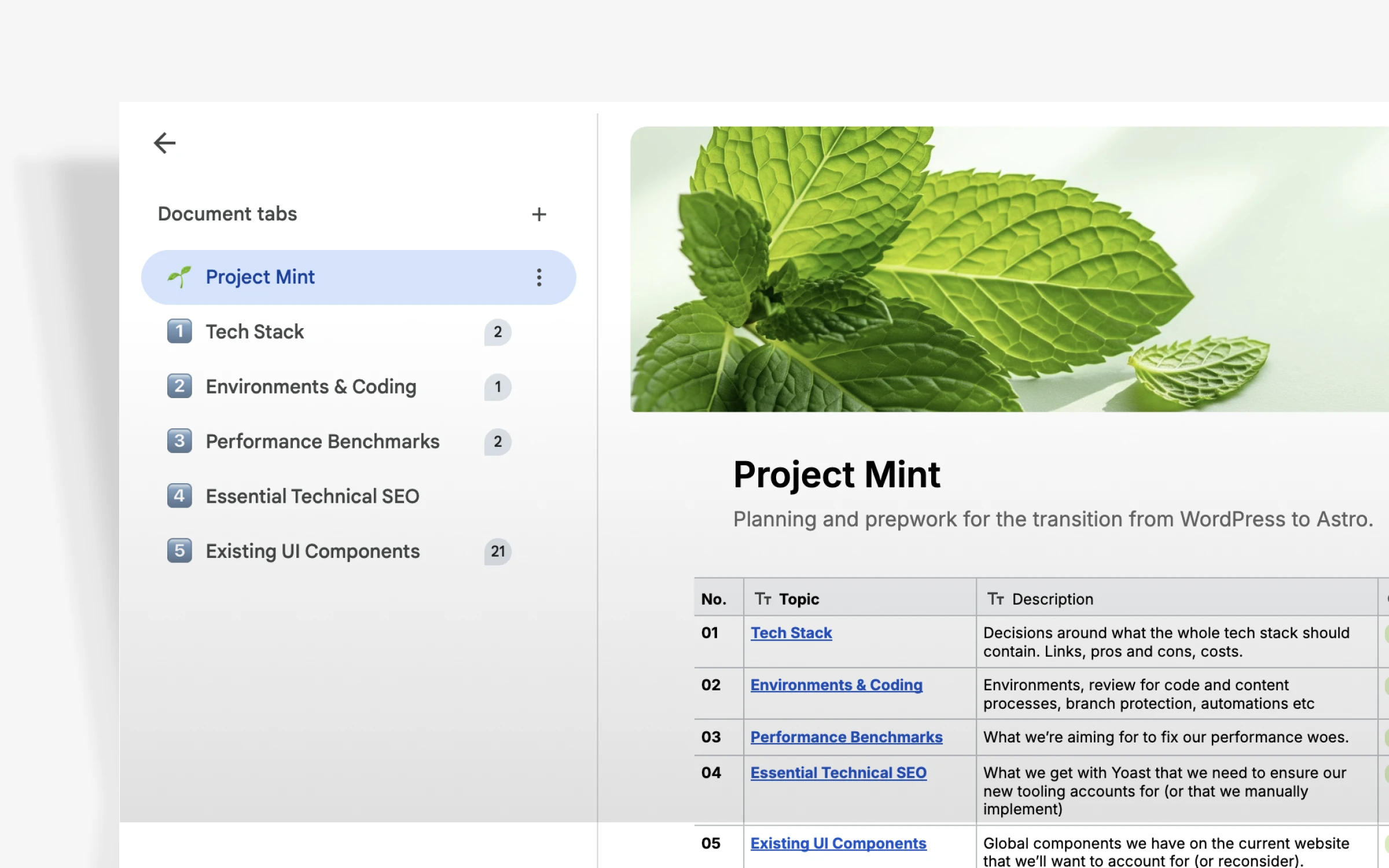
Project planning and development process.
Before writing a single line of new code, I pushed for a full audit of every page, template, component, and integration on the existing site. That audit became a Gantt chart covering six months, which I presented to my manager for sign-off.
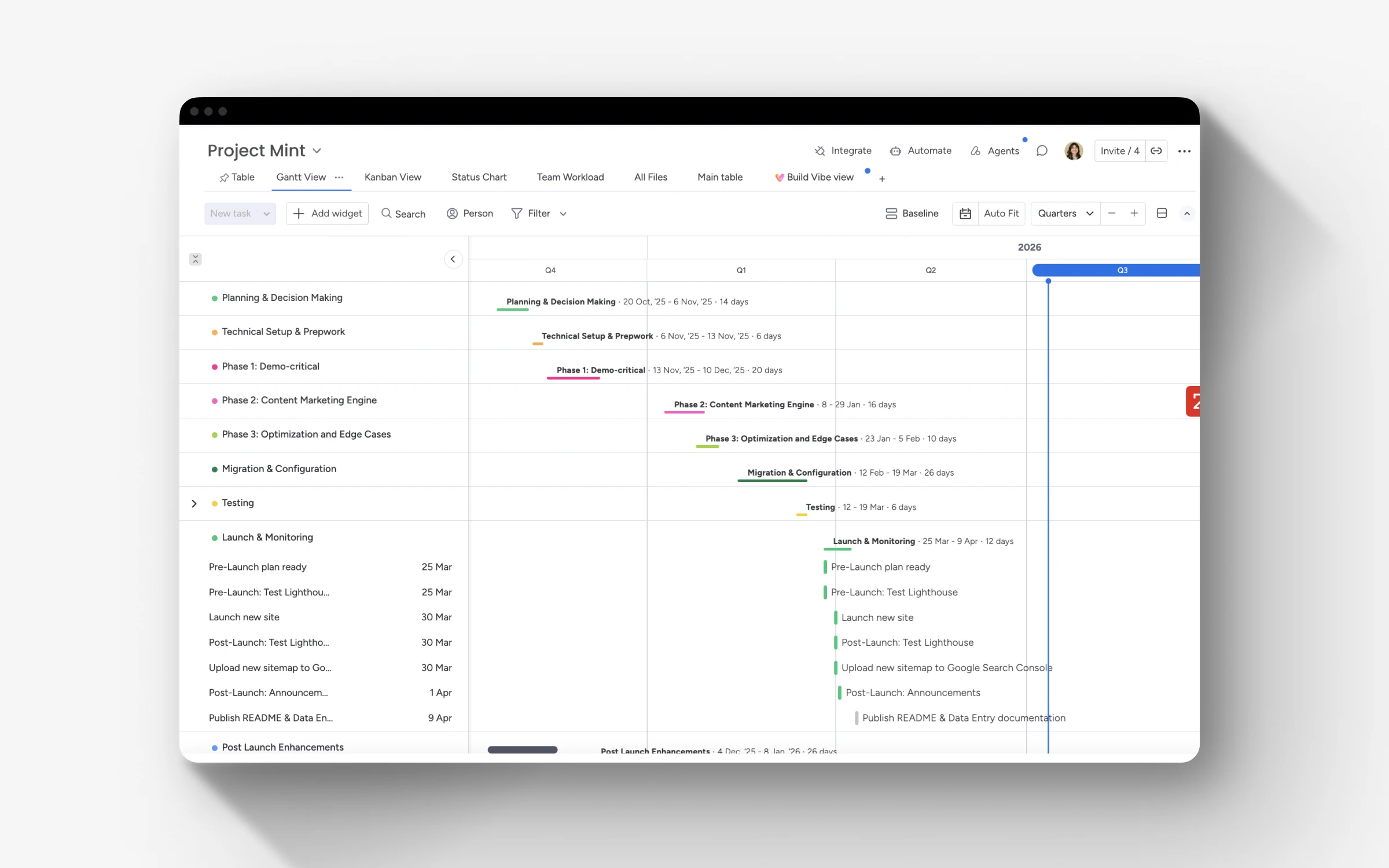
Gantt chart and project plan created in Monday.com.
Early on, we decided to avoid rebuilding in WordPress Gutenberg. We had the chance to go with something completely new, and very little of our website needed anything dynamic.
We researched static site builders, CMS options, hosting considerations, and packages. All of these got input from our Marketing team and others across the company, including our CEO and VP of Engineering. Bringing in those perspectives early meant that final decisions would have genuine buy-in.
I also made the call to adopt Claude Code for both of us. To meet our deadline, we had to move faster than a two-person team realistically could on a project of this complexity. AI-assisted development made that possible. At the time, just a few engineers were trialing it, and we joined that early cohort, quickly becoming power users. My usage ended up being so high that our admin reached out directly to ask what I was doing with it!
Technical decisions
Each of our tools was chosen to get us better performance, more flexibility, easier upkeep, a better editing experience, and an excellent site experience for our end-users. We ultimately went with the following:
Astro for static site generation. A static site generator was a natural fit for a marketing site that doesn’t need client-side dynamism. With Astro, build times are short and file-based routing is intuitive.
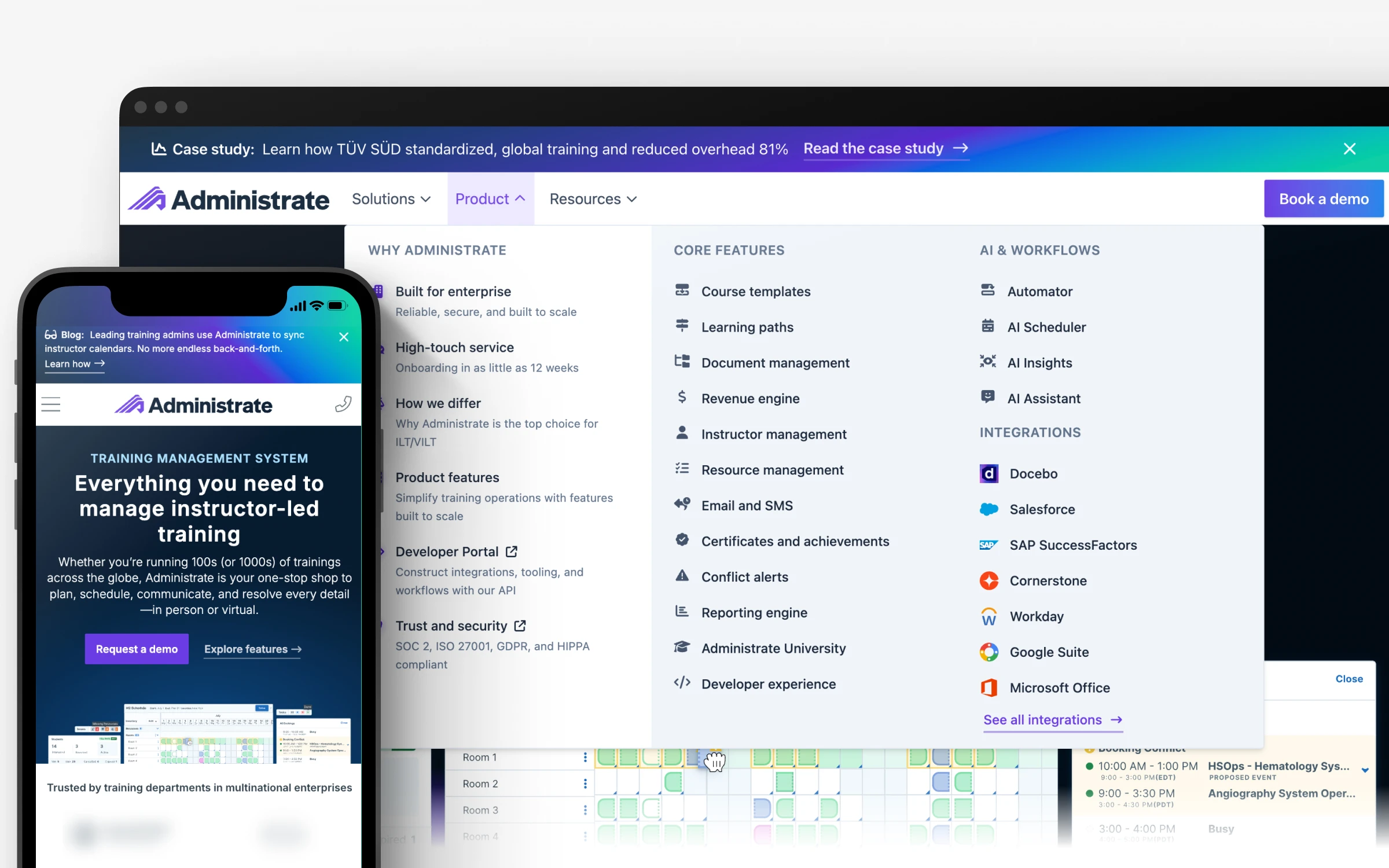
Homepage of the new website.
Sanity CMS for content management. We considered going CMS-free, but recognized that our website has features and page-building functionality that are challenging to translate to Markdown. We also wanted to ensure that less technical folks on the team could easily update content while adhering to SEO and accessibility best practices.
Just as critically, a CMS with a solid API would help us migrate our existing content from WordPress.
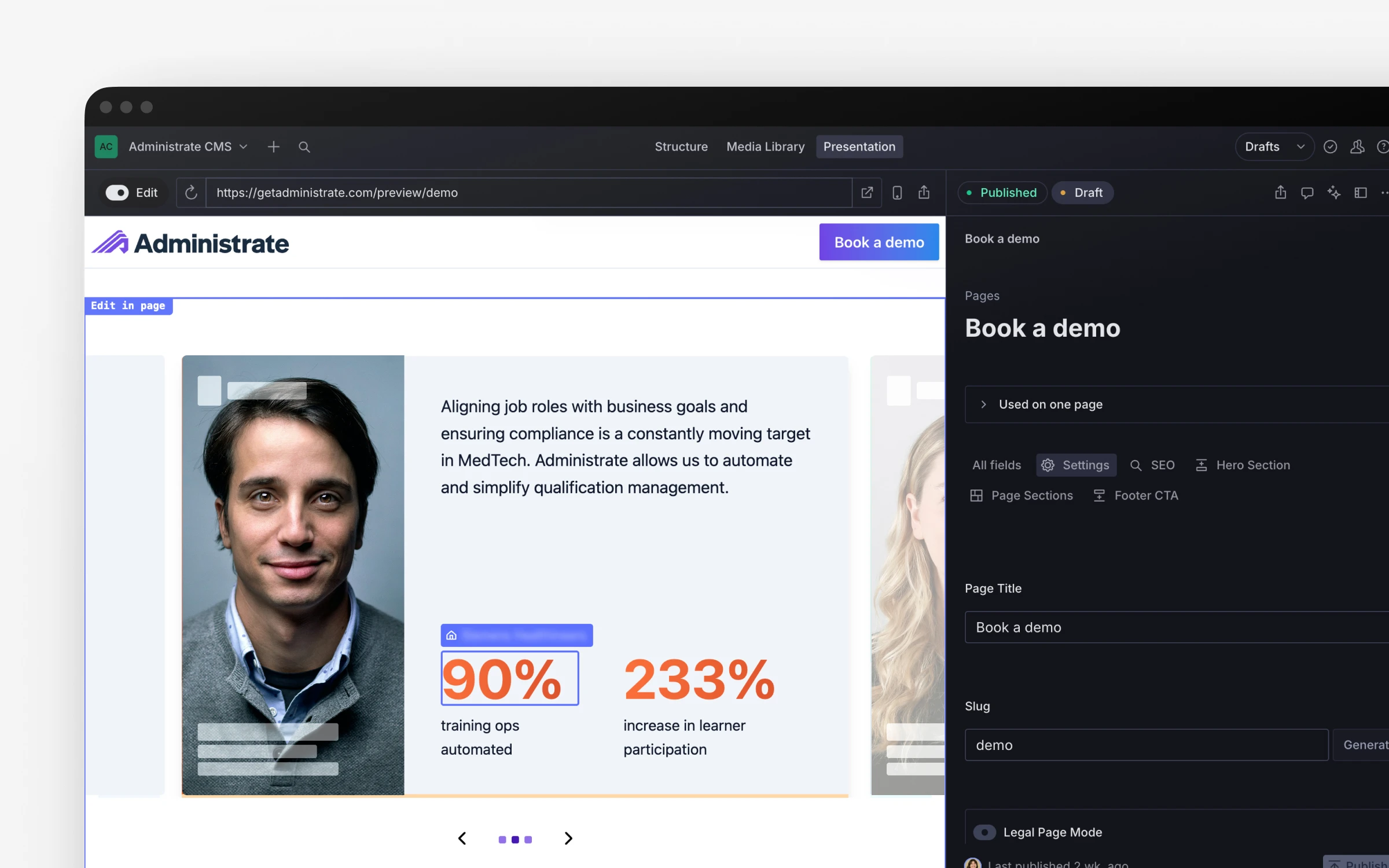
Visual editing feature implemented on our website’s CMS.
The visual editing experience was a key deciding factor in choosing the Sanity CMS. Now editors can click directly into text on a preview page rather than navigating a separate admin panel.
Sanity’s structured content model also allows us to design relationships between content types rather than writing duplicative data across a WordPress database. This means that we can always update a testimonial, stat, and more from a single location and rest easy knowing that it will be updated everywhere.
Additionally, Sanity is highly configurable, and we created many custom React components for functionality that had been a pipe dream in our old WordPress instance. For example, an icon-picker that is directly integrated with our brand’s icon library (Font Awesome) was trivial to implement.
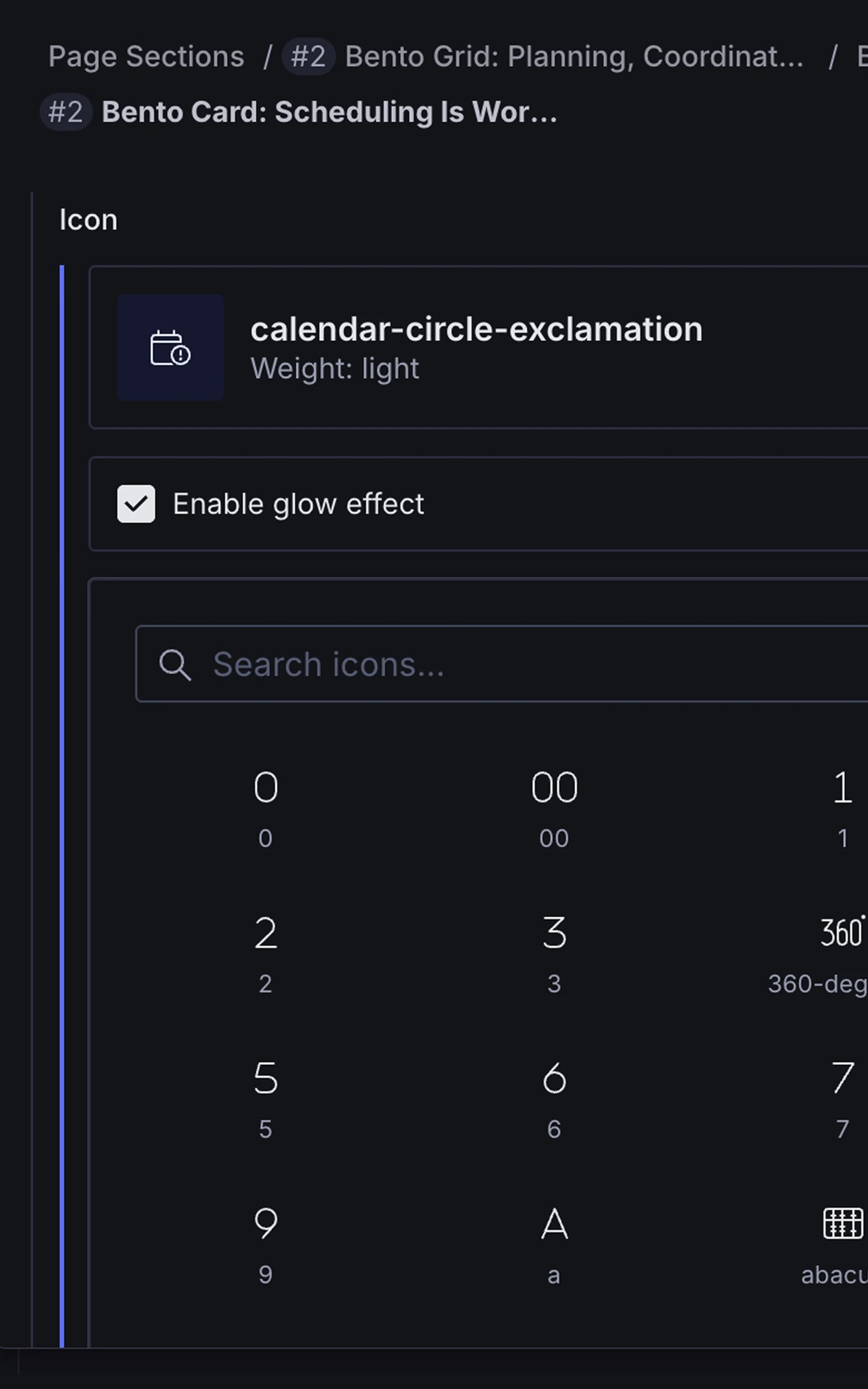
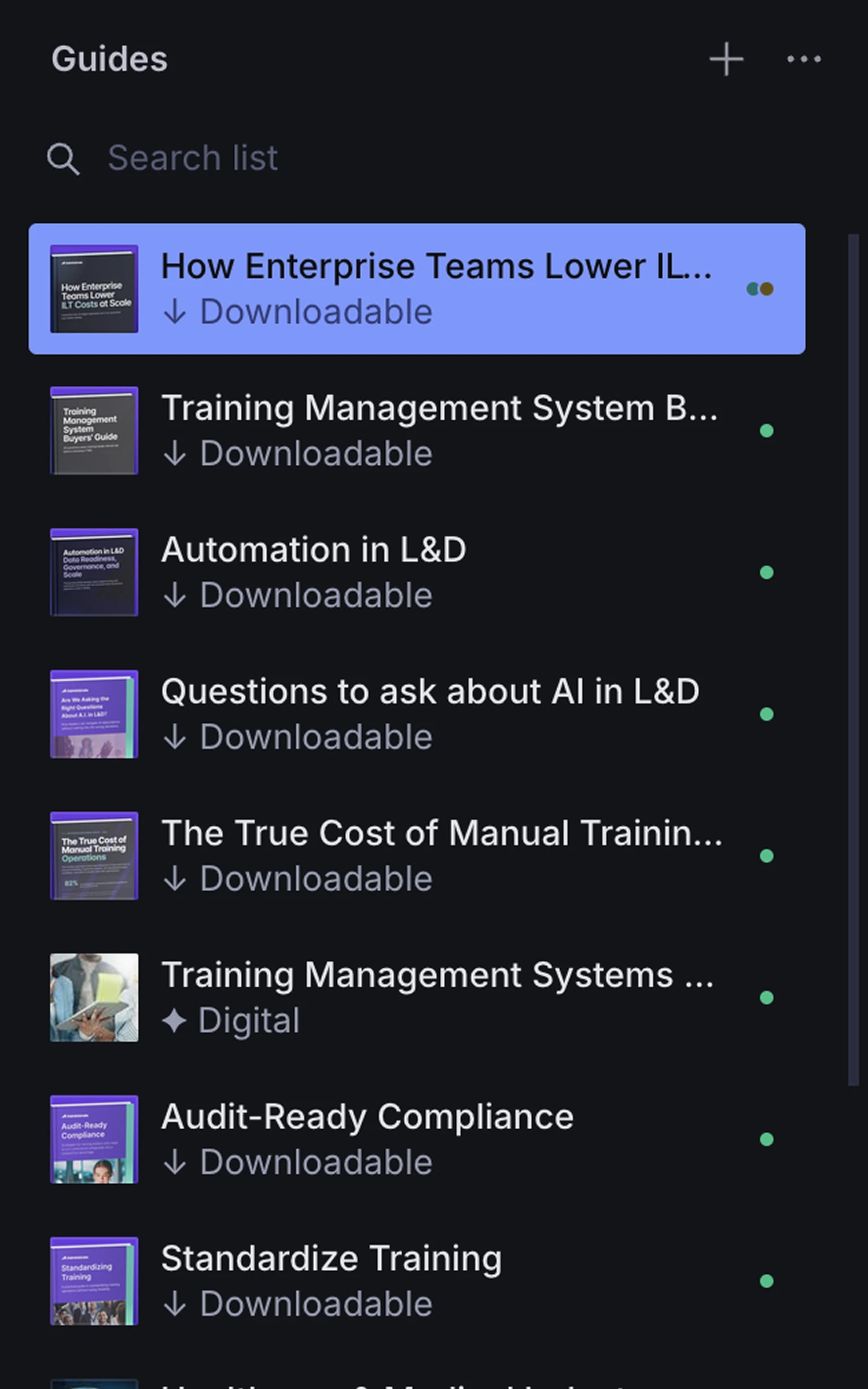
Customizations in our CMS.
Cloudflare for hosting and tag management. We had already shifted from Google Tag Manager to Cloudflare’s Zaraz tag management solution for hosting our pixels, scripts, and tags. So it was a natural choice to begin hosting our site on Cloudflare, too. Using Cloudflare Workers meant we could manage caching, deployment, A/B testing, and analytics in a single, trusted location. Our two-tool cache-clearing ritual was gone on day one.
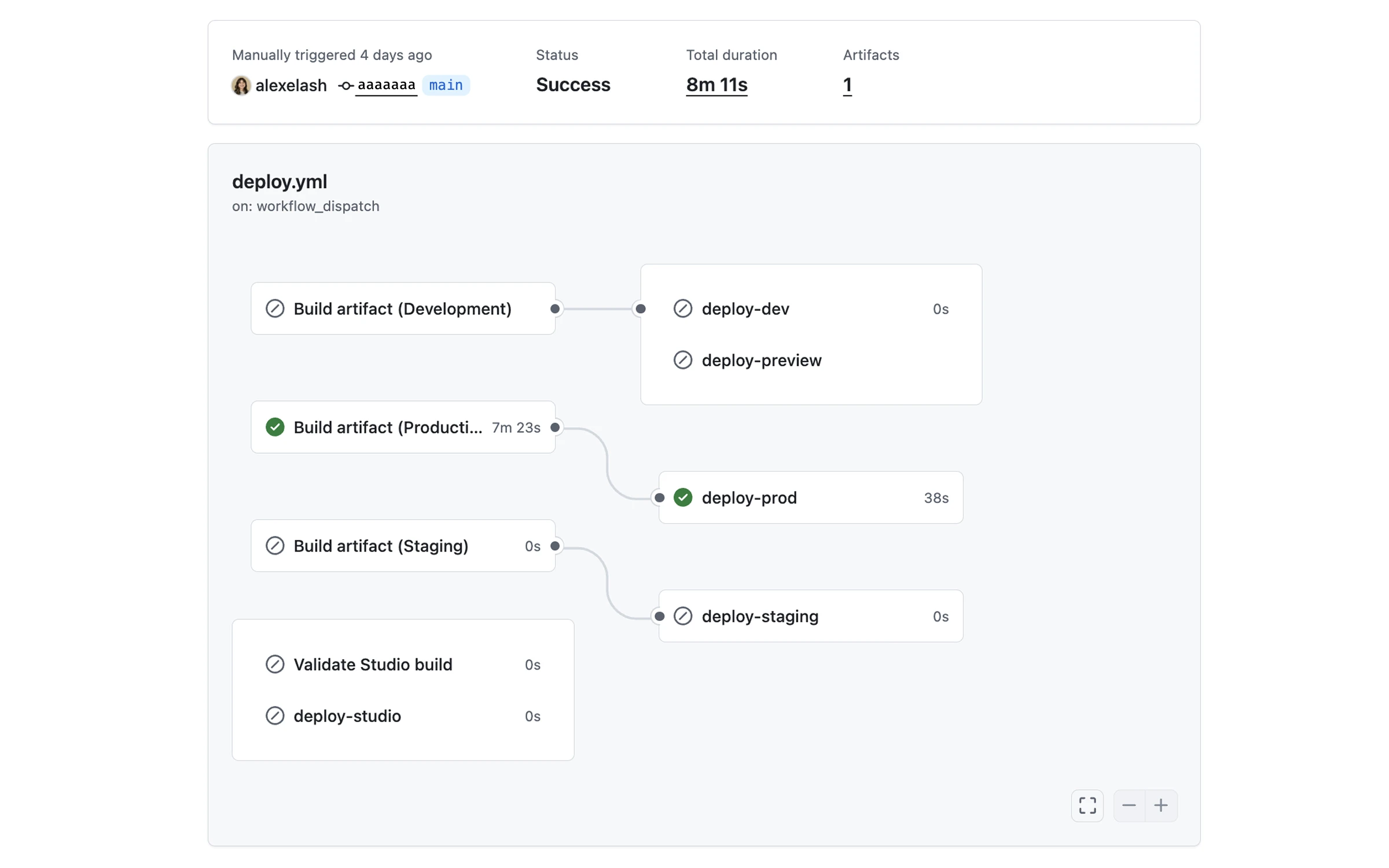
Deployment structure in our GitHub repo.
Preline on bare Tailwind for the component library. Preline is built on top of Tailwind with no abstraction layer, so we could move faster during the build without accumulating new technical debt. Any developer who picks the project up will find familiar, widely documented patterns.
What I built
Beyond directing the project, I was a hands-on contributor. A few things worth highlighting specifically:
- Real-time visual editing. I implemented Sanity’s visual editing integration personally. Editors can now click directly into any piece of text or content on a live page and edit it in place. No separate CMS tab, no guessing how something will look once published. This was the single most-requested improvement from the editorial team and it required custom work to fit our specific component architecture.
- Relational content model. Content that had previously been scattered across the WordPress database is now structured properly. Testimonials are a discrete document type in Sanity, related to a Person, which is related to a Company. Every relationship has fallbacks — if a field is missing or a name changes, the site handles it gracefully. Updating a job title or company name now happens once, in one place, and propagates everywhere.
- Custom SEO with Graph Schemas. Replaced Yoast with a bespoke SEO layer that generates structured data dynamically. Video indexing, meta information, and Open Graph tags are all handled in code, with schema types matched to the content being rendered.
- Design tokens and CI pipeline. I set up design tokens for the full project and configured the GitHub Actions deployment pipeline. Our process is now clean, documented, and reproducible. No institutional knowledge is required to deploy, and technically anyone can run a deployment using the GitHub UI.
Results
The new site launched on time, six months after kickoff. Everything went so smoothly that it was almost anticlimactic. Internally, the immediate reaction across the company was to comment on how fast everything now felt. But months later, we also have the data:
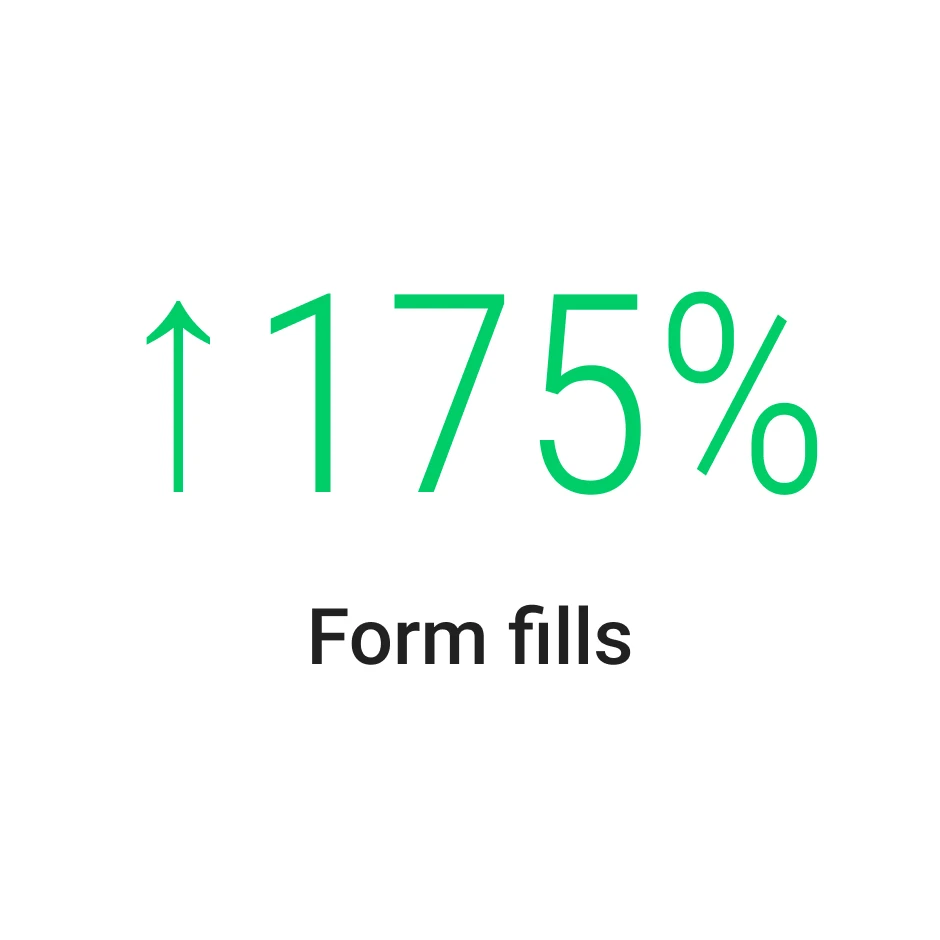
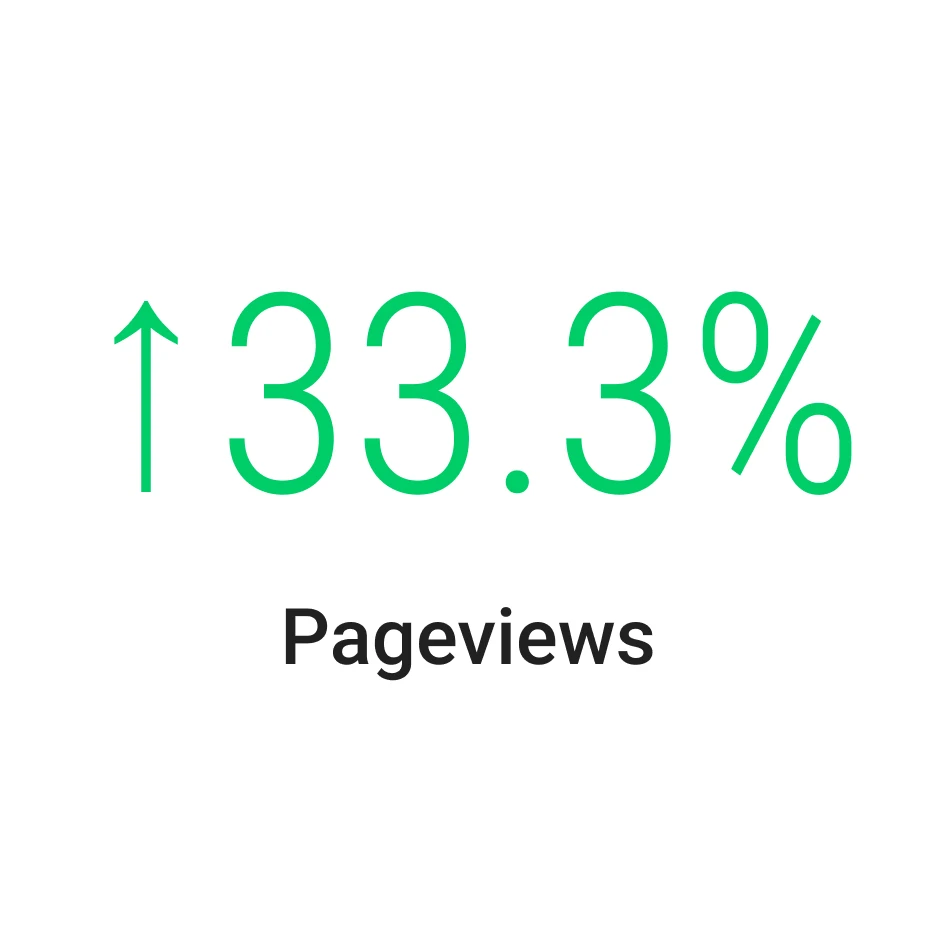
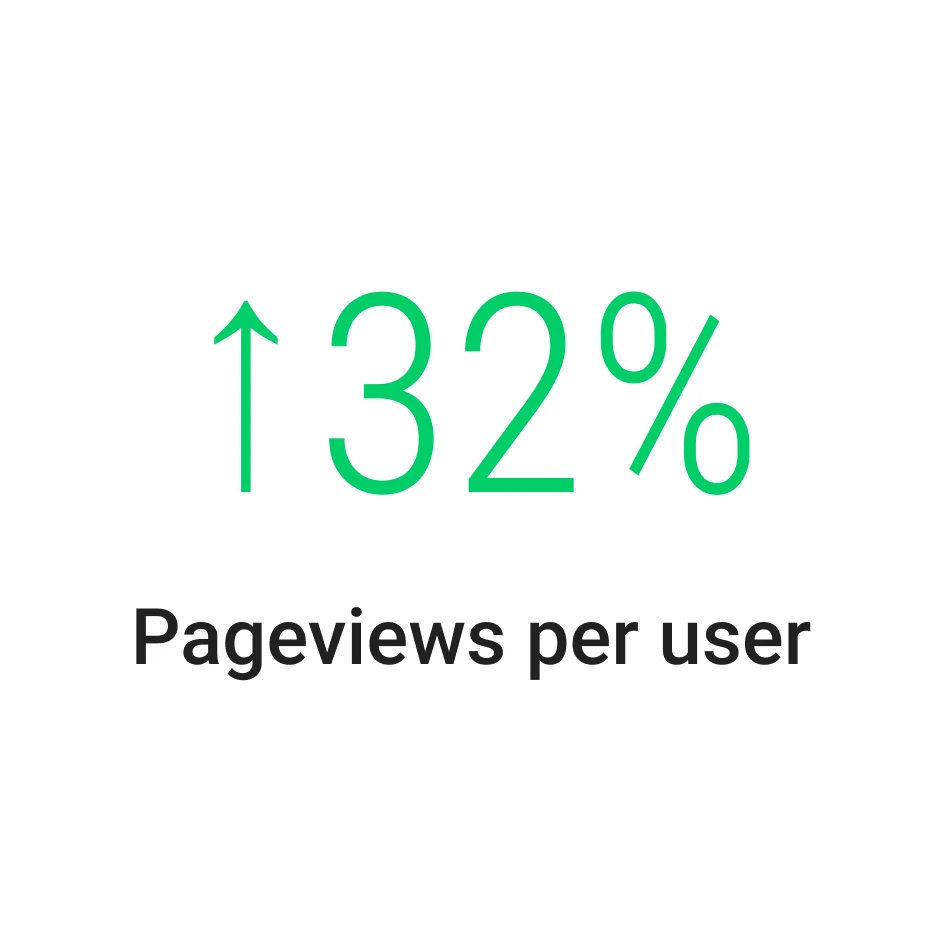
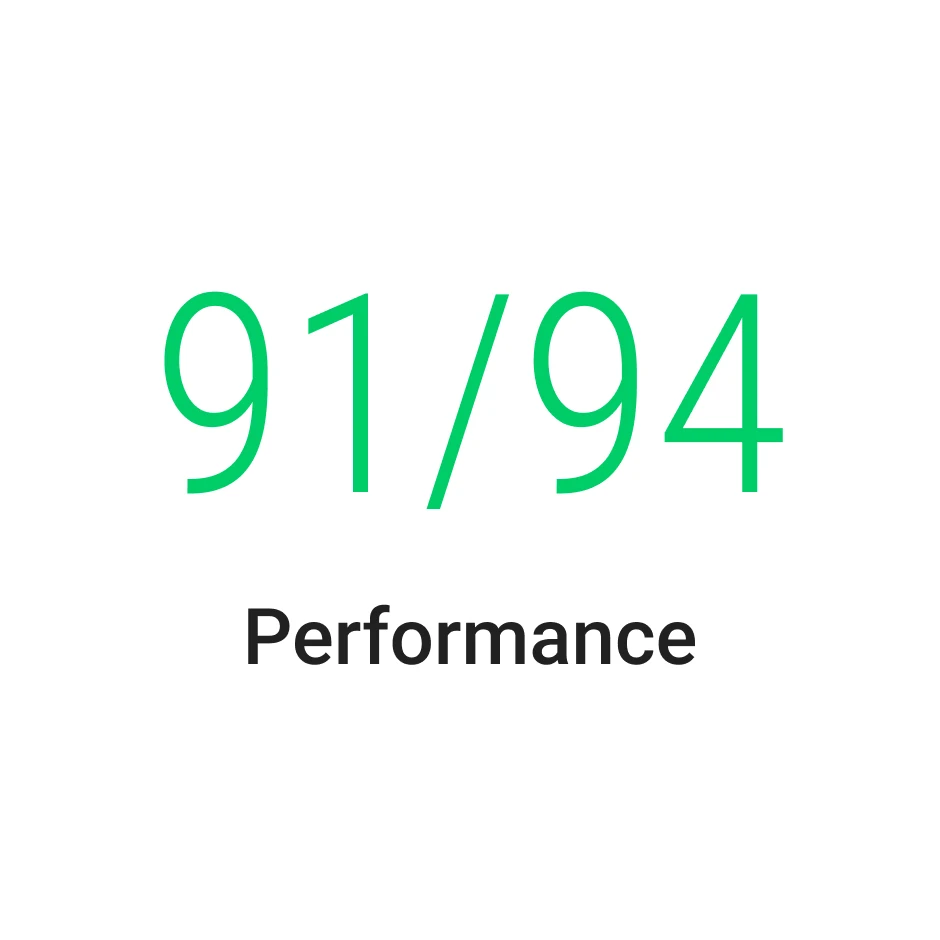
Stats comparing a three-month period before and after launch.
The improvement in CMS edit time also deserves a little context.
Changes previously meant waiting on WordPress to load (one particularly long page became almost uneditable), navigating the Classic editor, clearing WP Rocket then clearing Cloudflare in sequence, and waiting on the deployment dance. Now, launching a whole new page can take 15 minutes start to finish using Sanity’s API and a good script.
Beyond the numbers, the project meant something harder to quantify: that a two-person in-house team working with the right tools and a clear process can deliver infrastructure work that most companies would hand to an agency. It was genuinely fun to roll up my sleeves and get to collaborate in this way, and the results speak for themselves.
“She’s rebuilt our website with a small team, managed our SEO and advertising agency partners, transformed our event presence and led the sprints that keep our marketing team moving with real momentum. She covers an enormous amount of ground and does it incredibly well.”
— Brent Daily, VP of Marketing at Administrate

